
Top Up with Apple Pay: Can I Top Up My Family’s Accounts from Abroad?

Yes. MobileRecharge.com accepts Apple Pay as a secure payment option for both international and domestic mobile recharges. You can top up with Apple Pay to send airtime or data bundles to family and friends almost anywhere in the world.
Where to Use Apple Pay
The Official App
The easiest way to top up with Apple Pay is through the official MobileRecharge app. Of course, also easy for top-ups using the website (friendly interface on mobile too).
Rated 4.7 stars, the app lets you send airtime and data to prepaid mobile numbers worldwide. It’s available as a free download from the Apple App Store and Google Play.
|
★★★★★
Good app for reloading phones in the USA and Mexico “It’s a good app for reloading phones in the USA and Mexico. The fees are fair, not expensive. I recommend it.” Octavio HC · Verified customer · 24 April 2023 |
|
★★★★★
Right there when I need it “Time after time, for years now, MobileRecharge has been there when I need it. Simple, instant, excellent, dependable.” Marie Beswick-Arthur · Verified customer · 7 February 2026 |
The Website Checkout

If you prefer using a browser, you can also top up with Apple Pay directly on the MobileRecharge.com checkout page or the app. Apple Pay is fully integrated into the payment process, making checkout quick and secure.
How to Top Up with Apple Pay
- Install the free MobileRecharge app on your iPhone or iPad.
- Select a contact from your phone or enter the recipient’s mobile number.
- Choose the destination country, mobile operator, and the airtime or data bundle you want to send.
- Select Apple Pay at checkout.
- Confirm your payment instantly using Face ID, Touch ID, or your device passcode.
Alternative Payment Options
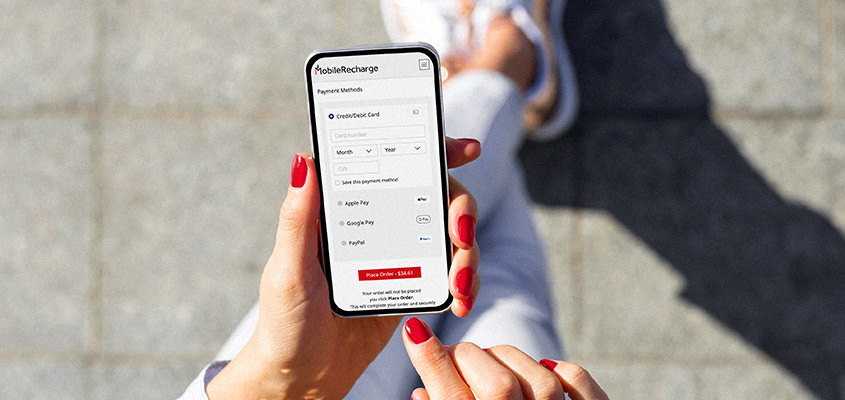
If anything is not working for you, MobileRecharge.com also accepts several other secure payment methods:
- Credit and debit cards: Visa, Mastercard, and American Express (Amex for USD payments only).
- Digital wallets: PayPal and Google Pay.
 |
 |

